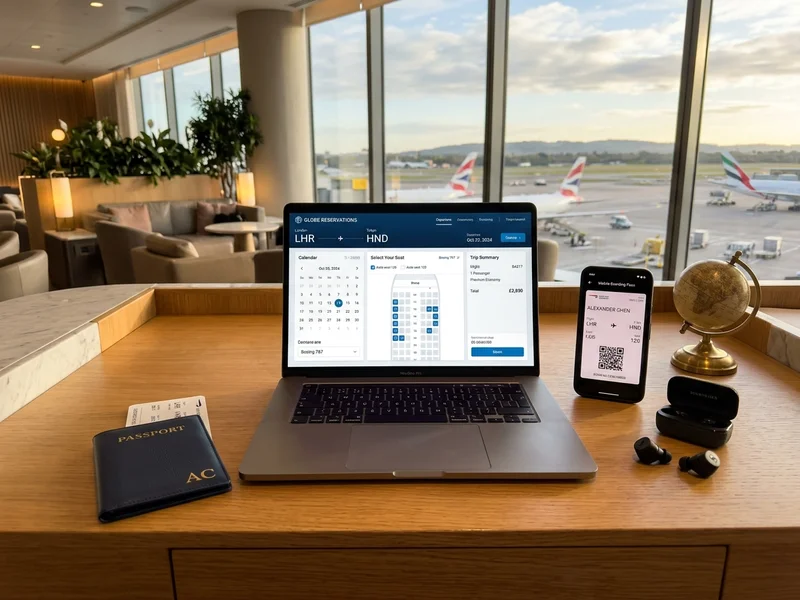
What a booking system has to get right
Customers judge a booking system on three things: is what I see actually available, is the price clear, and did my booking go through? Everything else, from design to extra features, comes after those three. A good system answers them instantly, on any phone, and keeps working when hundreds of people use it at the same time.
Types of booking systems and how availability works
Types of booking systems we build
- Tours, travel packages and day trips
- Bus, cab and shuttle seat booking
- Visit slots for attractions, museums, parks and heritage sites
- Appointments for salons, clinics, consultants and tutors
- Rentals for vehicles, equipment, venues and sports grounds
- Guest houses, homestays and small hotels
- Shows, screenings and workshops with limited seats
The details differ, but the core is the same: a calendar or seat map, a price, a payment and a confirmation.
How real-time availability works
When a customer picks a seat or slot, the system places a short hold on it, usually for a few minutes, while they pay. If the payment succeeds, the booking is confirmed and the hold becomes permanent. If it fails or times out, the seat goes back on sale automatically. This simple idea is what prevents double bookings, and it has to be built carefully so it also works when two customers click at the same moment.
Custom booking system or a ready-made plugin?
Ready-made booking plugin
When to choose a plugin
- Simple slots with few rules
Limits of a plugin
- Limited seat maps, agents and pricing rules
Custom booking system
When to choose a custom system
- Seat maps, agents, dynamic pricing and partner inventory
Limits of a custom system
- Higher cost and a longer build
Seat maps, time slots and quantity-based booking
The way you count availability decides how the system is built.
| Type | What is counted | Example |
|---|---|---|
| Seat-based | Each seat | Bus, cinema, hall |
| Slot-based | A time slot per person or room | Clinic, salon, sports turf |
| Quantity-based | Tickets per date | Tours, attractions, workshops |
| Duration-based | Start and end time | Rentals, guest rooms |
Booking systems for specific businesses
Guest houses, homestays and small hotels
- Calendar by room type with seasonal rates
- Advance payment and an instant confirmation with directions
- Blocked dates for repairs or family use
- Check-ins and check-outs for the week in one view
Appointment booking for service businesses
Salons, consultants, tutors and repair services sell time. We build appointment systems where each service has a duration, each staff member has a calendar and gaps between appointments can be added for cleaning or travel. Customers pick a service, a person and a slot, pay a deposit if you require one and receive a reminder before the visit. You can see who is free at a glance and stop losing time to phone tag.
Booking systems for tourist and pilgrimage destinations
Towns with seasonal crowds, such as Deoghar, face sharp peaks. Guest houses, taxi services and visit-slot managers gain from an online system that handles the rush without a flood of phone calls.
Pricing, payments and cancellations
Pricing, discounts and rules
Real businesses rarely have one flat price. You may charge more on weekends and festival days, offer lower fares for children, give group discounts or run promo codes. We build these rules into the admin panel, so you can change them without calling a developer. Customers see the full price, including taxes and fees, before they pay, which cuts abandoned bookings and complaints.
Payments, refunds and e-tickets
Payments are the most sensitive part of any booking system. Through payment gateway integration we connect UPI, cards and netbanking, and we handle the cases people forget: a payment that succeeds after the page closed, a payment that fails after money is deducted and a refund that has to reach the right account. After payment, customers get an e-ticket with a QR code by email and WhatsApp, along with a GST invoice where needed.
Cancellations, rescheduling and no-shows
- You set cancellation windows and refund rules once
- The system applies them and shows the customer what to expect
- Reminders the day before cut no-shows
- A waiting list fills cancelled slots
Dashboards and customer data security
Admin panel, agents and partners
Behind the customer screens sits the admin panel. It shows today's bookings, occupancy, revenue and pending refunds, and lets staff add manual bookings for walk-in or phone customers. If you sell through agents, each agent can have a login, their own booking history and a commission report. Where partners offer an API, we can connect their inventory to yours, so one system shows everything that is available.
Customer data and security
A booking system stores names, phone numbers and payment records, so it has to be handled carefully. Staff get roles with limited access, connections are encrypted and regular backups protect your data. Card details are entered on the payment gateway's secure page, so they are not stored on your own server. We also keep only the customer information you actually need to run the booking.
Getting bookings, apps and performance
Getting bookings from search
A booking system only earns when people find it. We create clear pages for each destination, route or service, with prices, photos and structured data, so that search engines can show them properly. Our SEO services and digital marketing teams can build on this with local listings, reviews and campaigns for peak seasons.
Mobile apps and WhatsApp bookings
Many customers prefer to book from their phone and keep their ticket there. A responsive website covers most needs, and an app adds saved details, push notifications and offline access to tickets. We can also send confirmations, reminders and changes through WhatsApp, which many Indian customers check before email.
Traffic, speed and uptime
Booking traffic comes in waves: festival weekends, holidays and the minutes after a social media post.
- Optimised pages and safe caching
- Suitable web hosting sized for peaks
- Load testing with many users before launch
Mistakes to avoid when building a booking system
- Showing availability from a spreadsheet that is updated by hand
- Letting customers pay before the seat or slot is held for them
- Hiding taxes and fees until the last step
- Having no plan for failed payments and duplicate charges
- Sending no confirmation or reminder, so customers phone to check
Booking system launch checklist
- A seat or slot is held while the customer pays
- Failed and duplicate payments tested
- Taxes and fees shown before the last step
- Confirmation and reminder messages checked
- Staff trained to add manual bookings
Questions to ask a booking system developer
- How do you stop two customers booking the same seat or slot?
- What happens if a payment succeeds after the page closes?
- How are refunds, cancellations and partial refunds handled?
- Can agents and partners have their own logins and reports?
Timelines and pricing
A simple booking website usually takes three to six weeks, depending on the booking rules, payment options and admin features. Larger systems with seat maps, agents and partner integrations are delivered in phases. We send an itemised quote with no hidden charges. If you are organising an event rather than selling regular bookings, see our event website work.