Two kinds of event websites
Event businesses usually need two different things. The first is a website for your company, which shows past work, services and reviews and brings in new clients. The second is a website or page for each event, which handles dates, agenda, speakers, tickets and registration. We build both, and we plan them so they work together.
Websites for event planners and event microsites
Websites for event planners and companies
Clients judge an event company by its past work. Your site should show real photos and videos from weddings, corporate events, exhibitions, concerts or college fests, filtered by event type. Add service packages, a simple enquiry form, client reviews and a clear way to call or message you on WhatsApp. Our website development team can also add a quote request tool, so clients can share the date, guest count and budget in one form.
What a good event website includes
- Date, time and venue with a map, at the top of the page
- A clear registration or ticket button that stays visible on mobile
- Agenda, speakers and sponsors, easy to scan
- Answers to common questions about parking, entry rules and refunds
- Contact details that reach a real person on event day
Event microsites that are ready on time
An event microsite is a focused site built around a single event. It carries the date, venue map, agenda, speaker profiles, sponsor logos, FAQs and a registration button. Because every event repeats a similar structure, we can build a reusable template, so your next event site takes far less time and cost to launch.
Single-event microsite
When to choose a microsite
- One event with a clear date and agenda
Limits of a microsite
- Needs rebuilding or cloning for the next event
Full event platform
When to choose a full platform
- Many events, passes and repeat attendees
Limits of a full platform
- Higher cost and longer build
Registration, tickets and attendee data
Registration and attendee management
Registration is where most event websites succeed or fail. We build forms that collect the right details without becoming a chore, with options for different attendee categories, group registrations, approval steps for invite-only events and waiting lists when you reach capacity. Attendees get instant confirmation by email or WhatsApp, and you can see, filter and export the guest list at any time. No more scattered spreadsheets or duplicate entries.
Passes, tickets and payments
If the event is paid, you can sell passes on the site with different prices for early bird, standard and VIP categories, promo codes and a limit on numbers. Payments run through payment gateway integration, with receipts, refund handling and GST invoices where required. For large booking systems with seat selection or high volumes, see our page on ticketing and booking systems.
Agenda, speakers, sponsors and exhibitors
Conferences, expos and fests rely on content as much as registration. We build agenda pages that attendees can filter by day or track, speaker pages with photos and bios, and sponsor and exhibitor sections with packages, brochures and enquiry forms. Sponsors want to see reach and visibility, so we show past attendance and audience details clearly, which makes your sponsorship pitch stronger.
Attendee data and privacy
- Registrations stored behind secure logins
- Data shared only with people who need it
- Consent asked before using contacts for marketing
- Export or delete records after the event, as your policy requires
Exhibitions, conferences and community events
Exhibitions and conferences
Exhibitions and trade fairs
- Visitor pre-registration, floor plans and an exhibitor list
- Stall booking, payment and company details forms
- Lead collection for exhibitors
Conferences and seminars
- Delegate categories with different fees
- Abstract submission and a simple review panel
- Certificates of attendance and session schedules by hall
Weddings, college fests and community events
Not every event needs a big platform. A wedding planner may need a beautiful portfolio and an enquiry form. A college fest in Jharkhand or Bihar may need registration for competitions, sponsor pages and a result board. A local fair or festival may need schedules, maps and updates in Hindi. We scale the solution to the event and your budget, and we do not sell you features you will not use.
What each type of event needs
| Event type | Key needs | Useful tools |
|---|---|---|
| Wedding or private event | Portfolio, enquiry | Quote request form |
| Corporate or conference | Registration, agenda, speakers | Badges, certificates |
| Exhibition | Stall booking, floor plan | Visitor pre-registration |
| College fest | Competitions, sponsors | Result board |
| Festival or fair | Schedule, map | Updates in Hindi |
Event apps, vendor portals and launch-day readiness
Event apps and QR check-in
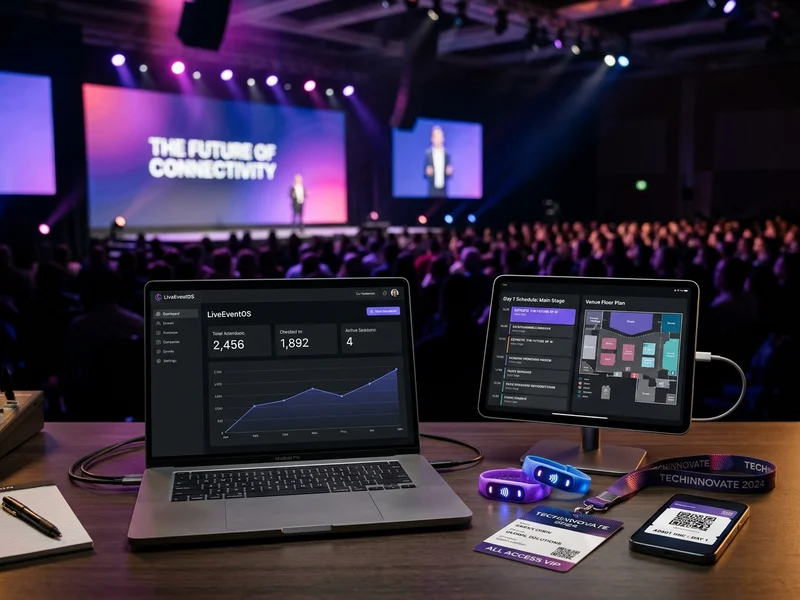
For larger events, an event app or a simple web app can show the schedule, send updates, hold the attendee's digital pass and let staff scan it at the gate. QR check-in cuts queues, catches duplicate entries and gives you a live attendance count. If you do not need a full app, a mobile web page with the same pass and schedule is often enough.
Client and vendor portals for event companies
Event companies manage many people at once: clients, vendors, venue staff and freelancers. A private portal can hold quotations, approvals, payment schedules, run sheets and vendor contacts for each event, so everything is in one place instead of scattered across chats. Clients can approve a design or a menu with one click, and your team can see exactly what is pending.
Traffic planning for registration day
Registrations rarely arrive evenly. Most of them come in the first hour after an announcement and in the last day before the deadline. We plan for those spikes by optimising pages, using caching and choosing suitable web hosting, and we test the registration flow with many users at once before it goes live. If you expect very large numbers, tell us early so we can size the setup properly.
Event day checklist
- Registration page tested with many users at once
- QR passes and guest list ready on staff phones
- Entry rules, parking and contacts published
- A plan for walk-ins without a pass
- Reminder with entry instructions sent the day before
Promotion, follow-up and mistakes to avoid
Promoting the event
A good event page needs people to reach it. We set up search-friendly event pages with proper dates and locations, social sharing images and tracking, so you can see which channels bring registrations. After that, digital marketing and social media optimization help spread the word, and WhatsApp reminders to opted-in contacts help raise attendance on the day.
After the event
The work does not stop when the lights go off. Feedback forms, photo and video galleries, thank-you emails and early-bird offers for next year keep your audience engaged and give your next event a head start. We build these into the site so you can reuse the contacts you gather, with consent, for future events.
Mistakes to avoid on event websites
- Opening registration before the page has been tested with a large number of visitors
- Hiding the date and venue below a long banner or a slideshow
- Collecting too many fields in the registration form
- Forgetting to send a reminder with entry instructions the day before
- Having no plan for people who arrive without a pass
Timelines and budgets
Event deadlines do not move, so timing matters. A simple event microsite can be ready within one to two weeks. A registration and payments system, or a full event platform with an app, typically takes three to six weeks. Start as early as you can, because content from speakers and sponsors usually arrives late. We give itemised quotes with no hidden charges. Many event projects also connect with media and entertainment websites, which we cover separately.