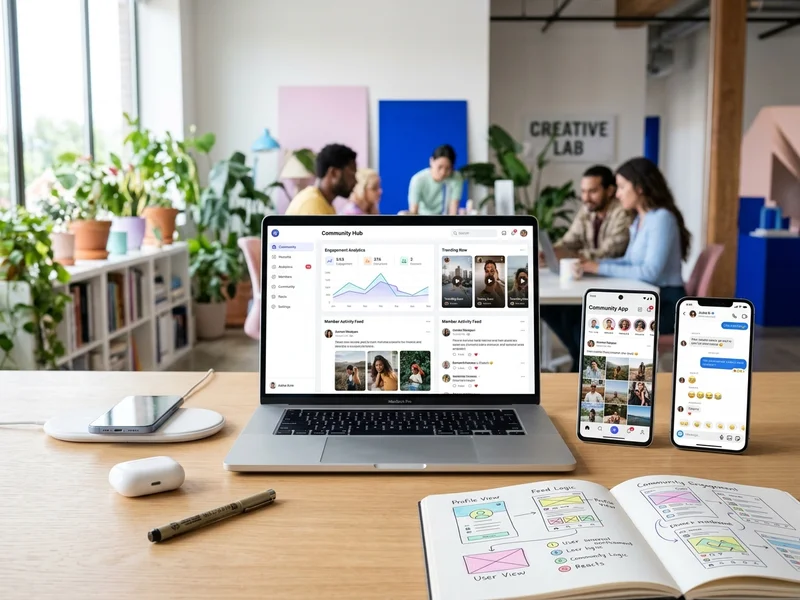
Start with the community, not the feature list
The most common mistake in social networking projects is starting with features. Chat, stories, reels, live video and AI feeds sound exciting, but a community lives or dies on something simpler: do members have a reason to come back? Before we write any code, we ask who the first members are, what they want to do together and why they would pick your platform over a WhatsApp group or Facebook page.
Planning a social networking platform
Types of social platforms we build
Different communities need different features and different safety tools.
| Community | Key features | Main moderation need |
|---|---|---|
| Professional network | Profiles, messaging, job posts | Spam and fake profiles |
| Alumni or college | Directory, events, groups | Privacy |
| Neighbourhood or society | Notices, polls, groups | Disputes |
| Interest community | Feed, groups, events | Off-topic posts and trolling |
| Paid creator community | Member area, posts, payments | Access control |
Core features of a social network
Most platforms share a common base, which we adjust to your needs:
- Sign-up, login and member profiles
- A feed of posts with photos, links and video
- Follow or connect options, likes, comments and shares
- Groups, forums or channels for specific topics
- Direct and group messaging
- Push, email and in-app notifications
- Search by people, groups and topics
- Events with RSVPs
- Admin and moderator panels with reports
Build a focused first version
A first version should prove that people want to use the platform. We usually start with profiles, a simple feed, groups and notifications, then add chat, events and extra features once real members show what they need. This keeps the budget under control and avoids building things nobody uses. Our startup development approach explains how we decide what goes into version one.
Web, mobile or both?
A web platform
When to choose a web platform
- Professional and learning communities used on laptops
Limits of a web platform
- No push notifications by default
A mobile app
When to choose a mobile app
- Daily use and instant alerts
Limits of a mobile app
- Higher cost and store approvals
Often we build both on one shared back end. Our app development and web development teams work together.
Core community features
Groups, forums and topic channels
Groups are where conversations stay useful. Members can join public or private groups, post questions, share files and follow topics they care about. Group owners can set rules, approve members and pin important posts. For professional or learning communities, forum-style threads with search work better than a fast-moving feed, because answers stay easy to find weeks later.
Onboarding that makes new members stay
The first few minutes decide whether a new member returns. A good sign-up flow asks for very little, lets people join with a phone number or a Google account, suggests groups and people to follow and shows a few active posts straight away. A short welcome message and a prompt to introduce themselves help a stranger become a member instead of a silent visitor.
Chat, notifications and real-time features
Live chat and notifications make a community feel alive, but they are also the hardest parts to build well. Messages must arrive in order, notifications must not flood members and everything has to keep working when many people are online. We choose proven tools for real-time messaging and set sensible defaults, so members get useful alerts rather than constant noise.
Safety, privacy and moderation
Moderation and community safety
Every open community attracts spam and abuse sooner or later. We build in tools from the start: reporting buttons on posts and profiles, blocking, an admin review queue, filters for banned words and roles such as administrator and moderator. In India, rules for online intermediaries expect a clear process for complaints and for removing unlawful content, so we recommend taking legal advice on your terms of use, privacy policy and grievance process before launch.
Moderation tools we build in
- Report buttons on posts, comments and profiles
- Blocking and muting
- Banned word filters and an admin review queue
- Roles for administrators and moderators
Privacy, consent and data protection
Members share personal details, photos and messages, so privacy has to be part of the design. Members should control who sees their profile and posts, give clear consent when they sign up and be able to delete their account. India's data protection law adds extra duties around children's data, so if minors may join, say so early. We use encrypted connections, secure password handling, role-based admin access and regular backups.
Admin tools and community health
Admin dashboard and analytics
Community managers need a clear view of what is happening. Our admin dashboards show new members, active members, popular groups, reported content and the posts with the most engagement. Filters by date and group help you spot trends early, such as a group that has gone quiet or a spike of spam. Managers can message members, feature good posts and suspend accounts from the same screen.
Community health metrics
- New and returning members each week
- Posts and replies per active member
- Reports received and how fast they are handled
- Groups that have gone quiet
Growth, income, hosting and common mistakes
Growing a community after launch
Software does not create a community, people do. Plan how you will bring the first members in: invite a core group of founding members, post useful content yourself, appoint a few active moderators, run weekly discussions or events and greet every newcomer. WhatsApp messages to people who have agreed to hear from you can bring members back. Our social media optimization and digital marketing teams can help with the launch.
Making money from a community
Several models work for communities: paid memberships, premium groups, sponsored posts, job listings, event tickets and partner offers. Choose one that fits your members and add others only when the community is healthy. Online payments run through payment gateway integration, and for paid events our event tools can handle registration and passes.
Hosting and scaling
A social platform handles many small requests at once, so hosting and database design matter. We plan hosting that fits your first few thousand members, set up caching and monitoring, and design the system so it can grow without a rewrite. If your community takes off, we can scale servers and storage in stages.
Pre-launch checklist for a community platform
- Rules, terms of use and a complaint process published
- Moderators named and trained
- Reporting, blocking and review queue tested
- A group of founding members invited
- Analytics and backups switched on
Mistakes to avoid
- Trying to match every feature of the large networks in version one
- Launching with no moderation plan and no one to enforce the rules
- Inviting thousands of people at once to an empty platform
- Asking for too much personal information at sign-up
- Skipping analytics, so you cannot see what members actually use
Timelines and pricing
A focused first version of a community platform usually takes three to six weeks, depending on features and platforms. Larger social networks with chat, video and apps for both Android and iOS are delivered in phases. We send an itemised quote with no hidden charges, and you can reach us on WhatsApp for questions during the project.